Hammer's个人博客

分享影像见闻、编程和生活的点滴

关于我

Hammer

Hammer

一个影像产品经理,也是独立开发者,分享影像见闻和产品开发

影像技术 Python Swift 我的产品

最新文章

在Inter版本的Mac使用Codex桌面版
2026年02月25日 代码交流

在Inter版本的Mac使用Codex桌面版

Codex 作为非常好用的 Vibe Coding 编程工具,但其原生的桌面版只支持苹果 M 系列芯片。那作为还在使用 Intel 处理器的老 Mac 用户们该怎么办?没关系,这里介绍两个 GitHub 项目,帮你轻松搞定! 1. codex-app-intel-repackager(开箱即用)项目地址:sohail288/codex-app-intel-repackager 这是最省事的方案,作者直接打包好了 .dmg 文件,开箱即用。目前作者更新比较及时,新版本都能跟进。如果你想要自己手工折腾最新版本,可以看第二条。 2. codex-rebuilder(自行编译)项目地址:Miscend/codex-rebuilder 和第一个开箱即用的项目不同,这个项目提供了一个转换脚本。它基于原生 M 系列芯片 App 的 Electron 架构,将其重新打包为 Intel 可用版本。 注意事项: 需要一定动手能力 电脑需要安装好 Node.js 环境来“自己做菜”

阅读更多 →
一种简单的提取照片ICC的方式,基于Swift
2026年02月24日 影像技术

一种简单的提取照片ICC的方式,基于Swift

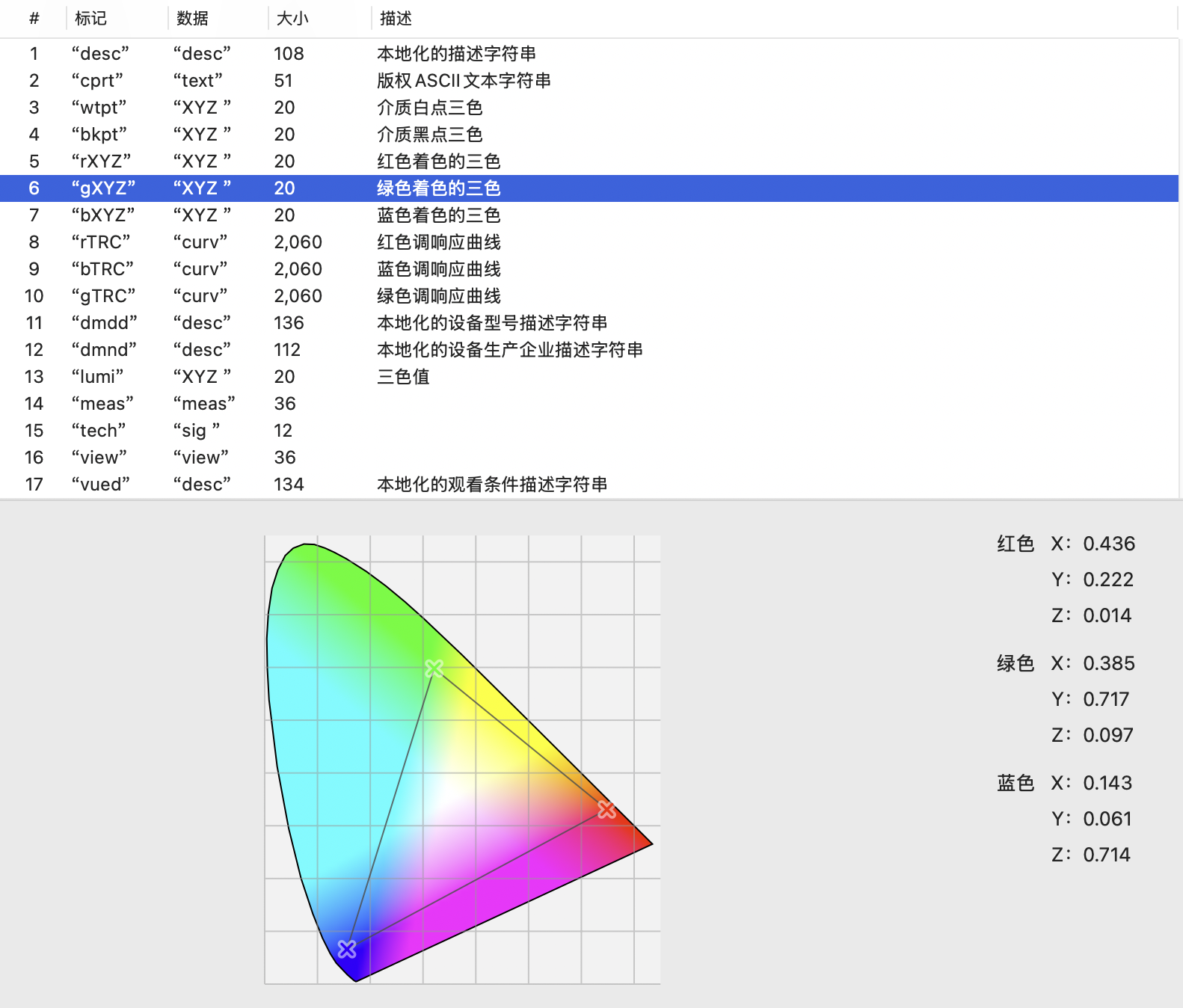
一种简单的提取照片iCC的方式基于Swift1. 痛点:当前自动化提取程度不高在日常处理图像时,为了做色彩管理的分析或更精确的图像计算,我们经常需要获取照片自带的 ICC 配置文件(ICC Profile)。但是,想要优雅地提取这些底层的 ICC 数据却并不轻松。虽然业界有如 ExifTool 这样异常强大的跨平台综合体工具,但它们本质上仍然高度依赖命令行调用和进程执行。这使得在个人工作流工具或原生 App 中集成它时,自动化和无缝联动的程度都不高,同时还引入了外部依赖这层“包袱”。 2. 新的方案:Swift的Apple官方SDK的原生的便捷提取方案 colorSpace.copyICCData() colorSpace.copyICCData()是苹果官方SDK支持的简单提取方案,可以在Mac或者开发中简单调用和使用,对于苹果流的用户,这是简单的方案。 代码核心逻辑稍微分析一下思路,如果我们要提取数据并落地成文件,核心逻辑可以从 colorSpace.copyICCData() 开始: 我们的终极目标是调用 copyICCData() 收割数据,而这个方法属于 CGColorSpace 对象。 那如何拿到 CGColorSpace 呢?很简单,我们需要一个图形对象 CGImage,读取它的 .colorSpace 属性。 进一步往上游回溯,CGImage 是通过 CGImageSource (也就是我们的硬盘图片资源) 创建出来的。 理清了这个顺理成章的依赖链条后,提取逻辑用 Swift 如下: 123456789101112131415161718192021222324252627282930313233343536373839404142434445464748495051import Foundationimport ImageIOimport CoreGraphics/// 从 JPG/PNG 图片中提取 ICC 配置文件并保存为本地文件func extractICCProfile(from inputPath: String, to outputPath: String) { // 1. 检查输入文件是否存在并载入 URL let fileURL = URL(fileURLWithPath: inputPath) guard FileManager.default.fileExists(atPath: inputPath) else { print("❌ 错误: 找不到输入文件") return } // 2. 将图片抽象为底层图像源 (Image Source) let options = [kCGImageSourceShouldCache: false] as CFDictionary guard let source = CGImageSourceCreateWithURL(fileURL as CFURL, options) else { print("❌ 错误: 无法创建图像源") return } // 3. 从图像源创建 CGImage guard let cgImage = CGImageSourceCreateImageAtIndex(source, 0, options) else { print("❌ 错误: 无法从源中创建图像") return } // 4. 获取图像的色彩空间 (Color Space) guard let colorSpace = cgImage.colorSpace else { print("❌ 错误: 图像无色彩空间") return } // 5. 核心:极其便捷地提取 ICC 数据! guard let cfICCData = colorSpace.copyICCData() else { print("⚠️ 警告: 该图像没有嵌入的 ICC 配置文件") return } // 6. 突破点:CFData 到 Swift Data 的格式桥接 let data = cfICCData as Data // 7. 直接写入物理文件系统 do { let outputURL = URL(fileURLWithPath: outputPath) try data.write(to: outputURL) print("✅ 成功: ICC 配置文件已提取至 -> \(outputPath), 大小为: \(data.count) 字节") } catch { print("❌ 错误: 写入文件失败: \(error.localizedDescription)") }} ⚠️ 一个不能忽略的细节:数据格式转换在这套流程中,有一个极为关键的数据格式转换动作需要专门强调:“把 CFData 转为 Data”。 由于 colorSpace.copyICCData() 是一个来源于底层的 C API,它提取出 ICC 信息后,抛给我们的返回值是 Core Foundation 层级的 CFData?。但作为现代 Swift 开发者,如果你想要借助于 URL 直接优雅地写数据流落盘,你必须用到原生的 Data 类型。 好在 Swift 为我们提供了 Foundation 与 Core Foundation 免费的桥接机制 (Toll-Free Bridging),我们只需要极其简单的一步显式转换: 1let data = cfICCData as Data 一旦完成这步强转,这团内存就化身成为了强大的 Swift原生 Data,无论是校验字节长度 (data.count) 还是调用 try data.write(to: outputURL) 一键归档,一切都那么自然顺滑。 3. 总结相比较于去满世界捞第三方 CLI 脚本库并强行接入,Swift 原生提供的基于 colorSpace.copyICCData() 的这套 API 工作流更加编辑,且可以自由Conding搭配。无需额外的三方依赖库,无需进程管理,它通过几行代码直接打通了从图片文件载入到提取深层 Profile 数据,再到落盘写回磁盘的完整闭环。是各位图像相关工作者在 Apple 生态下首选的原生自动化方案。

阅读更多 →
用户许可协议EULA / Privacy Policy
2026年02月23日 我的产品

用户许可协议EULA / Privacy Policy

最终用户许可协议EULA / Privacy Policy生效日期:2026年2月23日Effective Date: February 23, 2026 本协议是您(以下简称“用户”或“您”)与照片保存助手APP(以下简称“本产品”或“开发者”)之间关于下载、安装和使用本产品的法律协议。This Agreement is a legal agreement between you (“User” or “You”) and Photo Save Assistant (hereinafter referred to as “the Product” or “Developer”) regarding the downloading, installation, and use of the Product. 请仔细阅读本协议。通过下载、安装或使用本产品,您确认您已阅读、理解并同意受本协议条款的约束。如果您不同意本协议的任何条款,请勿下载、安装或使用本产品。Please read this Agreement carefully. By downloading, installing, or using the Product, you acknowledge that you have read, understood, and agree to be bound by the terms of this Agreement. If you do not agree to any term of this Agreement, do not download, install, or use the Product. 1. 许可授权 / License Grant开发者授予您一项非独占的、不可转让的、有限的个人许可,允许您在您拥有或控制的苹果设备上安装和使用本产品,仅限于个人非商业用途。The Developer grants you a non-exclusive, non-transferable, limited personal license to install and use the Product on Apple devices that you own or control, solely for your personal, non-commercial purposes. 本产品是纯本地运行的工具类应用,所有数据处理均在您的设备上完成,不上传任何文件或信息至远程服务器。The Product is a locally-run utility application. All data processing is performed entirely on your device, and no files or information are uploaded to any remote servers. 2. 使用限制 / Usage Restrictions您不得:You shall not: 复制、修改、反编译、反向工程、反汇编或以其他方式试图获取本产品的源代码;Copy, modify, decompile, reverse engineer, disassemble, or otherwise attempt to derive the source code of the Product; 出租、租赁、出售、再许可、分发或转让本产品;Rent, lease, sell, sublicense, distribute, or transfer the Product; 移除或修改本产品上的任何版权、商标或其他所有权声明;Remove or alter any copyright, trademark, or other proprietary notices on the Product; 使用本产品进行任何非法活动或违反任何适用法律的行为。Use the Product for any illegal activity or violate any applicable laws. 3. 知识产权 / Intellectual Property Rights本产品(包括但不限于其代码、界面设计、图标、图像、文档等)的所有知识产权(包括版权、商标权、专利权等)均归开发者所有,受相关法律保护。本协议未明确授予您的所有权利均由开发者保留。All intellectual property rights (including but not limited to copyrights, trademarks, patents, etc.) in the Product (including but not limited to its code, interface design, icons, images, documentation, etc.) are owned by the Developer and are protected by applicable laws. All rights not expressly granted to you under this Agreement are reserved by the Developer. 4. 隐私与数据 / Privacy and Data您对个人信息的处理受我们的隐私政策约束,该政策通过引用纳入本协议。我们的隐私政策概述了本产品如何处理您的数据:The handling of your personal information is governed by our Privacy Policy, which is incorporated into this Agreement by reference. Our Privacy Policy outlines how the Product handles your data: 本地运行:所有操作均在您的设备上执行,不上传数据。Local Execution: All operations are performed on your device, with no data upload. Apple登录:当您使用“使用 Apple 登录”时,我们仅接收Apple提供的唯一用户标识符,用于同步订阅状态或跨设备恢复设置。Sign in with Apple: When you use Sign in with Apple, we only receive a unique identifier provided by Apple, used solely to synchronize subscription status or restore settings across devices. 无第三方追踪:本产品不包含任何第三方广告SDK或数据分析工具。No Third-Party Tracking: The Product does not contain any third-party advertising SDKs or analytics tools. 权限:访问相册或文件的权限仅用于核心功能,我们绝不会在未经许可的情况下访问您的数据。Permissions: Access to your Photo Library or Files is strictly for core functionality, and we never access your data without permission. 5. 付费与订阅 / Payments and Subscriptions本产品可能提供自动续订的订阅服务或一次性购买功能。所有交易均通过苹果的App Store处理,受苹果的条款和隐私政策约束。The Product may offer auto-renewing subscriptions or one-time purchase features. All transactions are processed through Apple’s App Store and are subject to Apple’s terms and privacy policy. 订阅:订阅费用将通过您的iTunes账户在确认购买时收取。除非在当前订阅期结束前至少24小时关闭自动续订,否则订阅将自动续订。您可以在购买后前往“账户设置”管理或关闭自动续订。Subscription: Subscription fees will be charged to your iTunes account at confirmation of purchase. Subscriptions will automatically renew unless auto-renew is turned off at least 24 hours before the end of the current subscription period. You can manage or turn off auto-renewal in your Account Settings after purchase. 退款:所有付款均为最终决定,除非适用法律要求或苹果的退款政策允许,否则不予退款。Refunds: All payments are final and non-refundable, except as required by applicable law or as permitted by Apple’s refund policy. 6. 免责声明 / Disclaimer of Warranties本产品按“现状”和“现有”基础提供,不附带任何明示或暗示的保证。开发者明确否认所有保证,包括但不限于适销性、特定用途适用性和不侵权的暗示保证。开发者不保证本产品将满足您的要求,或本产品的运行不会中断、及时、安全或无错误。The Product is provided on an “AS IS” and “AS AVAILABLE” basis, without any warranties of any kind, either express or implied. The Developer expressly disclaims all warranties, including but not limited to implied warranties of merchantability, fitness for a particular purpose, and non-infringement. The Developer does not warrant that the Product will meet your requirements, or that the operation of the Product will be uninterrupted, timely, secure, or error-free. 7. 责任限制 / Limitation of Liability在适用法律允许的最大范围内,开发者及其关联方、供应商或许可方均不对因使用或无法使用本产品而引起的任何间接、偶然、特殊、后果性或惩罚性损害(包括但不限于数据丢失、业务中断或利润损失)承担责任,即使已被告知可能发生此类损害。To the maximum extent permitted by applicable law, in no event shall the Developer or its affiliates, suppliers, or licensors be liable for any indirect, incidental, special, consequential, or punitive damages (including but not limited to data loss, business interruption, or loss of profits) arising out of or in connection with the use or inability to use the Product, even if advised of the possibility of such damages. 8. 终止 / Termination本协议在您接受后生效,直至被终止。如果您未能遵守本协议的任何条款,开发者有权立即终止本协议。终止后,您必须停止使用本产品并删除其所有副本。This Agreement is effective upon your acceptance and continues until terminated. The Developer may terminate this Agreement immediately if you fail to comply with any term of this Agreement. Upon termination, you must cease using the Product and delete all copies thereof. 9. 适用法律与争议解决 / Governing Law and Dispute Resolution本协议的解释和执行应遵循Apple Inc.的《Apple开发者计划许可协议》中的相关规定。因本协议引起的或与之相关的任何争议,应首先通过Apple的官方售后支持渠道处理,并遵守Apple的售后政策。用户同意,通过使用本产品,您接受Apple在争议解决方面的最终决定。The interpretation and enforcement of this Agreement shall follow the relevant provisions set forth in Apple Inc.’s Apple Developer Program License Agreement. Any dispute arising out of or in connection with this Agreement shall first be handled through Apple’s official after-sales support channels and shall comply with Apple’s after-sales policies. By using the Product, you agree to accept Apple’s final decision in dispute resolution. 10. 联系我们 / Contact Us如果您对本协议有任何疑问,请通过以下方式联系我们:If you have any questions about this Agreement, please contact us at: Email: [chgdeyx2@qq.com] © 2026 照片保存助手APP。保留所有权利。© 2026 Photo Save Assistant. All rights reserved.

阅读更多 →
浅谈HDR显示与我写的的HDR工具
2026年02月23日 影像技术

浅谈HDR显示与我写的的HDR工具

一、原理:1️⃣什么是HDR显示(XDR)?影像实践中,HDR显示(苹果一般用XDR表示,后续我们使用XDR代替HDR显示概念,以区分HDR图像或者HDR技术)一般表示超高动态范围显示。XDR显示与Dislpaly相关,一般与谷歌标准的UltraHDR为相似含义。此概念由苹果提出,用于区分XDR与传统HDR的显示区别,后被行业广泛采用用于表示区别于传统的超高动态范围显示。简单说,XDR就是一种HDR显示技术,用于显示高Bit的图像来增强显示的动态范围。在本博客中,我们重点讨论XDR显示的全流程,从拍摄到最终显示的过程,尤其是安卓管线的重点部分。同时简单介绍我个人开发的XDR工具。What is HDR? 2️⃣图像XDR的方式有哪些?自谷歌发布UltraHDR以来(Google Ultra HDR 图片格式 v1.1,官方文档),通过Gainmap形式嵌入图像格式来还原和读取高Bit信息还原原始HDR信息已经成为事实标准,尤其是在安卓上,JPG+Gainmap的形式成为主流的XDR显示的图像格式。SDR + Gain Map合并封装为的图像格式,最终以传统SDR+Gainmap的封装文件形式已经成为当前行业的主流标准和形式。包括苹果使用的Adaptive HDR也是遵循类似技术标准(WWDC2024 Session: Use HDR for dynamic image experiences in your app )。 3️⃣XDR的意义:通过Gainmap还原高Bit场景下的丰富信息、更加连续的影调和过渡、更高的亮度。我们用更简化的思维描述就是,传统的8bit 0-255的SDR图像只能表示256个数值或者亮度等级,而且XDR图像和显示则可以拓展显示的内容数据位宽,从而使用更多的亮度等级,来提供更加丰富和连续的影调和过渡。以Google Ultra HDR官方推荐为例子,在传统8bit图像增加2bit的gainmap图来拓展最终显示内容到10bit,从而提供更多的亮度等级,来还愿原始世界的光比和动态。 4️⃣XDR从拍摄到显示的链路以安卓为例,从拍摄到显示的全链路控制流程⚠️注意下图,核心和精华都在下图中⚠️————————————————————————————————————————————————🌟第一阶段:拍摄 (Capture) —— 【内容亮度:理论的照片亮度】这是物理世界光线转化为数字信号的过程:数据采集:相机传感器获取原始 RAW 数据。前处理:转化为 高Bit RGB 信号(保留原始光影的高动态范围)。计算增益:Tone Mapping:在相机的ISP链路中,尤其是RAW域处理中,传统SDR图是通过色调映射将高Bit数据压缩为标准的 8Bit YUV 图像保证兼容性,但是也损失了影像的动态范围和原始的部分高亮信息。Gainmap 生成:这里便是相机链路总,XDR图像的精华算在,通过拿到高Bit RGB(或者RAW域)总之是Tone压缩之前的数据或者照片流的关键节点,计算与8Bit YUV之间的亮度比,生成一张 Gainmap(增益图),并存储,来达到还原原始的高动态范围。🌟🌟第二阶段:编码 (Encoding) —— 【内容存储】将图像和元数据封装为标准文件格式(Google UltraHDR):元数据注入:遵循 ISO 21496-1 标准写入 HDR 元数据。双层容器封装:主图层:存储标准 JPEG-SDR 数据。嵌入层:在 APP2 等元数据段中嵌入 Gainmap-SDR 数据。结果:生成一张在旧设备看是普通照片,新设备看是 XDR 的 JPG 文件。🌟🌟🌟第三阶段:解码和渲染 (Decoding & Rendering) —— 【转换区】系统读取文件并准备显示:位图解码 (Bitmap):解码为 RGBA_F16 格式的 HDR Bitmap。提取 baseImage (SDR Linear RGB) 和 gainMap。映射至 Extended Linear (scRGB) 色彩空间,并标记 hdrFlag: true。👍合成预览 (SurfaceFlinger):核心公式计算:依据理论公式 HDR_target = SDR_base × GainMap × min(contentHeadroom, displayHeadroom) 计算理论显示亮度。⚠️注意,此时的数据仍然是理论上的HDR亮度,还是内容亮度,而不是最终的显示亮度。⚠️👍Android 系统合成引擎(SurfaceFlinger):最终安卓的合成准备,将图层信息交给硬件。⚠️注意,此时的数据是理论HDR显示亮度,也就是安卓基于屏幕素质和能力以及基础设定,计算出来的理论显示亮度,而不是最终的显示亮度。🌟🌟🌟🌟第四阶段:显示 (Display) —— 【屏幕亮度:物理亮度】最终将信号转化为像素点发光:硬件合成 (HWC):指令转换:HWC(硬件合成器)将 SurfaceFlinger 的“HDR 意图”翻译为底层的硬件指令。路径决策:根据当前功耗、温度(ABL/Thermal)决定走“硬件直通”还是“GPU 渲染”。硬件驱动控制:像素驱动:控制每一个子像素的开关。亮度电流:控制背光或 OLED 自发光电流。局部调光 (Local Dimming):实现精准的黑白对比。最终校准:通过 屏幕 Gamma LUT 进行最后的色彩和亮度补偿。⚠️注意,此时的数据是理论HDR最终实际显示亮度,也就是安卓最终呈现出来的屏幕显示亮度,这是基于安卓的屏幕硬件能力,以及安卓的显示设置等最终的综合控制结果。 二、如何控制XDR?1️⃣基础的三个控制参数记住下面的核心公式,后续我们所有控制都是围绕下面公式展开:HDR_target = SDR × Gain × min(content, display)核心外部参数 SDR 白点亮度 (LsdrLsdr):500 nits。 这是当前屏幕亮度设置下,普通内容(Standard Dynamic Range,如UI、普通网页)显示的亮度。 内容增益 (Gaincontent_Gaincontentmax):1-16倍。 UltraHDR 照片中,Base Image 像素值为 255(SDR最白),Gainmap 指示该点需要提亮 1-16 倍(最大4档已经是目前99%显示设备的极限)。 屏幕最大增益能力 (Headroomdisplay_Gaincontentmax):4.0倍。(目前旗舰手机的极限) 这是当前硬件状态下,屏幕能提供的最大HDR峰值亮度相对于SDR白点的倍数。总结一下就是,SDR代表传统的8bit图像的基础亮度,决定了整图的亮度基础。Gain代表原始图像上每个像素点的基础增益,决定了整图的理论内容亮度。min(content, display)代表和最终屏幕显示能力相关的最终照片被显示出来的物理亮度。 2️⃣显示参数Min_lastDisplayResult(Dispalytentmax,Gaincontentmax)——取屏幕显示和内容增益的更小的值这是是基于屏幕实际显示能力的范围,来限制内容增益,调整最终的显示动态范围,以避免过曝或者兼容屏幕实际能力。相对于在XDR显示上做了XDR的内容Tonemapping,而这个Tonemapping往往带有厂商的显示和审美倾向。主要OEM厂商的实现差异:(来自AI,暂未确定): 厂商 kneeStart Roll-off 曲线 特点 Google Pixel 0.8 × DisplayIntentMax BT.2390 变体 强调色彩准确度,优先保护肤色 Samsung 0.7 × DisplayIntentMax 自定义 S-curve 更激进的亮度提升,高光「明亮」但可能过曝 OnePlus/OPPO 0.65 × DisplayIntentMax 分段线性+指数 侧重对比度,暗部提亮明显 Xiaomi 0.72 × DisplayIntentMax 仿胶片曲线 注重「胶片感」,高光 roll-off 较平缓 3️⃣Headroom的概念和转化Headroom/Gaincontentmax苹果Adaptive HDR语境下的Headroom表示为HDR直方图的“档位”,此处Headroom档位和Gainmapratio是对数关系,即为:log2(Gainmapratio) = Headroom(DXO)敲重点:“档位”和“增益值”是等价的,“档位”代表对数关系,“增益值”代表线性关系。只要理解了这里的转换,后续无论在什么语境遇到各种Headroom,增益值,白点比等概念,都可以轻松转换了,通过这里的转换即可以适用各种情况和语境,从而对齐不同的标准下的“余量”。 三、XDR工具最后简单的介绍一下我写的XDR工具,主要用于影像实践中的XDR显示内容优化部分,有三个核心功能:1.提取Gainmap 2.写入Gainmap 3.转化SDR到XDR的映射曲线。(暂未开源,后续我会开源到github)。 1.提取Gainmap通过Swift官方ADK,提取JPG和HEIF的EXIF中的嵌入的Gainmap图。 2.写入Gainmap通过Swift官方ADK,将Gainmap图写入JPG和HEIF的EXIF中指定位置,⚠️注意,此处Swift官方ADK默认为gamma1.0,因为会对图像做gamma处理,因此写入gainmap需要进行degamma处理。 3.转化SDR到XDR的映射曲线根据Gainmap计算理论内容亮度,遍历所有像素点,计算8bit下的SDR到高Bit XDR图的映射关系。 附带各厂商SDR到XDR的映射曲线

阅读更多 →
Pytorch2.6-for-intel-Mac-with-Metal-acceleration-MPS-in-AMD-GPU
2026年02月22日 代码交流

Pytorch2.6-for-intel-Mac-with-Metal-acceleration-MPS-in-AMD-GPU

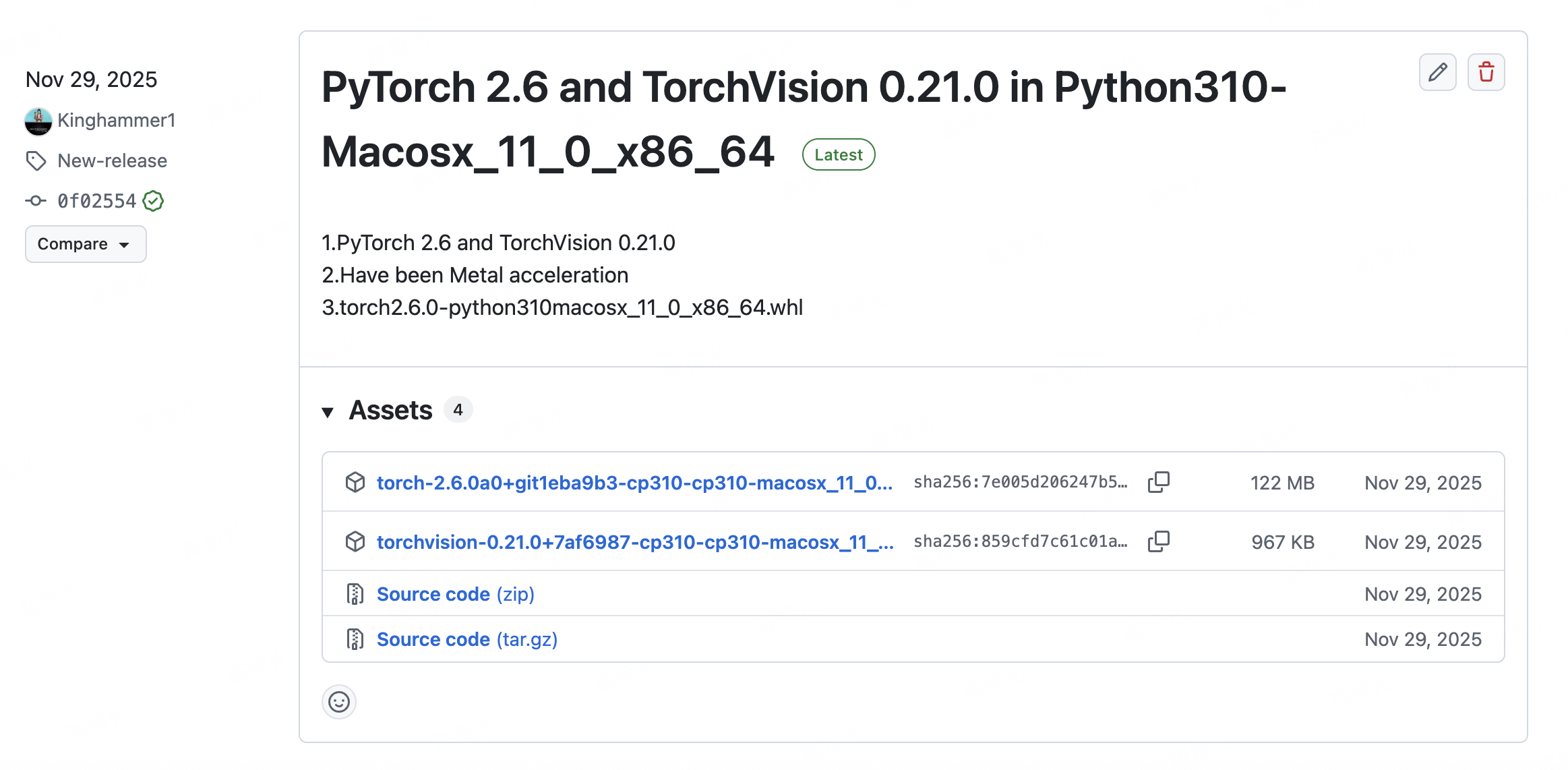
Pytorch2.6 for intel Mac with Metal acceleration on AMD GPU on Python==3.10 1️⃣Abstract/前言1.Apple官方为intel芯片的Mac提供的Pytoch版本仅支持到Pytoch=2.2Version,https://developer.apple.com/metal/pytorch/ 2.所以我创建了Pytorch2.6 for intel Mac with Metal acceleration on AMD GPU,以更好的为老款Mac提供MPS加速支持和更高版本的Pytorch和TorchVision 3.如需whl版本,可以直接到Release下载,支持Python=3.10 and TorchVision=v0.21.0 https://github.com/Kinghammer1/Pytorch2.6-for-intel-Mac-with-Metal-acceleration-MPS-in-AMD-GPU 4.来源:https://github.com/pytorch/pytorch 5.张量计算的简单对比: CUP VS MPS(AMD GPU Pytorch2.6) 性能比较: CPU总时间: 0.6217秒 MPS总时间: 0.0069秒 加速比 (CPU/MPS): 89.74x 🎉 MPS比CPU快 89.74 倍 CPU和MPS结果最大差异: 0.00023651 2️⃣Using Directly/直接使用Download whl file from ReleasePython 3.10 Environment pip install torch-2.6.0a0+git1eba9b3-cp310-cp310-macosx_11_0_x86_64.whl pip install torchvision-0.21.0+7af6987-cp310-cp310-macosx_11_0_x86_64.whl 3️⃣Methods/构建方法来自Deepseek,已经验证可行 如果需要直接使用,安装2️⃣Using Directly/直接使用自行安装即可 环境准备1. 清理环境并安装依赖1234567891011# 创建新的编译环境conda create -n pytorch-build-2.6 python=3.10conda activate pytorch-build-2.6# 安装编译依赖conda install cmake ninja numpy pyyaml mkl mkl-include setuptools cffi typing_extensions future six requests dataclassespip install -U pip# 安装系统依赖brew install cmake ninja git wgetbrew install libomp 2. 确保 Xcode 工具链12345# 检查 Xcode 版本xcodebuild -version# 确保命令行工具正确设置sudo xcode-select -switch /Applications/Xcode.app/Contents/Developer 编译 PyTorch 2.6 并启用 MPS1. 获取 PyTorch 2.6 源码12345678git clone --recursive https://github.com/pytorch/pytorchcd pytorchgit checkout v2.6.0git submodule syncgit submodule update --init --recursive# 确保子模块正确更新python -c "import os; os.system('git submodule status')" 2. 创建针对 Intel+AMD 优化的编译配置创建编译脚本 build_pytorch_2.6_mps.sh: 1234567891011121314151617181920212223242526272829303132333435363738394041424344454647484950#!/bin/bash# 设置基础环境export CMAKE_PREFIX_PATH=${CONDA_PREFIX:-"$(dirname $(which conda))/../"}export MACOSX_DEPLOYMENT_TARGET=11.0# 关键:启用 Metal/MPS 支持(基于 2.2.2 的成功配置)export USE_MPS=1export USE_METAL=1export PYTORCH_ENABLE_MPS=1# 添加 Metal 导出支持(这是 2.2.2 成功的关键)export USE_PYTORCH_METAL_EXPORT=1# 实验性:启用 AMD GPU 支持export PYTORCH_ENABLE_MPS_AMD=1export MPS_AMD_FORCE=1# 禁用其他 GPU 后端export USE_CUDA=0export USE_CUDNN=0export USE_NCCL=0export USE_ROCM=0# 优化 CPU 性能export USE_MKLDNN=1export USE_NNPACK=1export USE_QNNPACK=1export USE_PYTORCH_QNNPACK=1export USE_XNNPACK=1# 设置 Metal 框架路径export METAL_LIBRARY_PATH="/System/Library/Frameworks/Metal.framework"export METAL_SDK_PATH="/Applications/Xcode.app/Contents/Developer/Platforms/MacOSX.platform/Developer/SDKs/MacOSX.sdk"# 并行编译export MAX_JOBS=$(sysctl -n hw.ncpu)echo "=== PyTorch 2.6 MPS 编译配置 ==="echo "USE_MPS: $USE_MPS"echo "USE_METAL: $USE_METAL"echo "USE_PYTORCH_METAL_EXPORT: $USE_PYTORCH_METAL_EXPORT"echo "METAL_LIBRARY_PATH: $METAL_LIBRARY_PATH"echo "MAX_JOBS: $MAX_JOBS"# 清理之前的构建python setup.py clean# 开始编译python setup.py build develop 3. 应用针对 AMD GPU 的补丁由于您使用的是 AMD GPU,可能需要一些调整: 1234567891011121314151617181920212223# 在 pytorch 目录中创建补丁文件cat > mps_amd_fix.patch << 'EOF'--- a/cmake/Dependencies.cmake+++ b/cmake/Dependencies.cmake@@ -1234,6 +1234,12 @@ if(USE_METAL) if(NOT METAL_LIBRARY) message(WARNING "Metal library not found. Disabling Metal support.") set(USE_METAL OFF)+ else()+ message(STATUS "Found Metal library: ${METAL_LIBRARY}")+ # 确保链接 Metal 框架+ list(APPEND Caffe2_PRIVATE_DEPENDENCY_LIBS ${METAL_LIBRARY})+ # 添加 Metal Performance Shaders 框架+ find_library(MPS_LIBRARY MetalPerformanceShaders)+ if(MPS_LIBRARY)+ list(APPEND Caffe2_PRIVATE_DEPENDENCY_LIBS ${MPS_LIBRARY})+ endif() endif() endif()EOF# 尝试应用补丁git apply mps_amd_fix.patch || echo "补丁可能不完全适用,继续编译..." 4. 运行编译12345# 给脚本执行权限chmod +x build_pytorch_2.6_mps.sh# 运行编译./build_pytorch_2.6_mps.sh 替代编译方法(如果上述方法失败)方法 B:使用 setup.py 直接编译123456# 在 pytorch 目录中执行python setup.py clean# 使用 setup.py 直接配置CMAKE_ARGS="-DUSE_MPS=ON -DUSE_METAL=ON -DUSE_PYTORCH_METAL_EXPORT=ON -DUSE_CUDA=OFF -DUSE_ROCM=OFF" \python setup.py build develop 方法 C:分步 CMake 编译1234567891011121314151617181920212223# 创建构建目录mkdir build && cd build# 配置 CMakecmake .. \ -DUSE_MPS=ON \ -DUSE_METAL=ON \ -DUSE_PYTORCH_METAL_EXPORT=ON \ -DUSE_CUDA=OFF \ -DUSE_ROCM=OFF \ -DUSE_MKLDNN=ON \ -DUSE_NNPACK=ON \ -DCMAKE_BUILD_TYPE=Release \ -DPYTHON_EXECUTABLE=$(which python) \ -DCMAKE_PREFIX_PATH=${CONDA_PREFIX} \ -DMETAL_LIBRARY_PATH="/System/Library/Frameworks/Metal.framework"# 编译make -j$(sysctl -n hw.ncpu)# 安装cd ..python setup.py develop 验证编译结果创建验证脚本 verify_mps_2.6.py: 1234567891011121314151617181920212223242526272829303132333435363738394041424344454647484950515253545556575859606162636465666768697071727374import torchimport sysimport platformprint("=== PyTorch 2.6 MPS 验证 ===")print(f"PyTorch version: {torch.__version__}")print(f"Python: {sys.version}")print(f"macOS: {platform.mac_ver()[0]}")print(f"Architecture: {platform.machine()}")print("\n=== 编译配置 ===")print(f"Build settings: {torch.__config__.show()}")print("\n=== MPS 支持检测 ===")print(f"MPS available: {torch.backends.mps.is_available()}")print(f"MPS built: {torch.backends.mps.is_built()}")if torch.backends.mps.is_available(): device = torch.device("mps") print(f"MPS device: {device}") # 性能测试 import time size = 3000 a = torch.randn(size, size, device=device) b = torch.randn(size, size, device=device) # 预热 for _ in range(3): _ = a @ b if hasattr(torch, 'mps'): torch.mps.synchronize() # 计时 start_time = time.time() for _ in range(10): c = a @ b if hasattr(torch, 'mps'): torch.mps.synchronize() mps_time = time.time() - start_time print(f"MPS 矩阵乘法时间: {mps_time:.4f}s") # 对比 CPU a_cpu, b_cpu = a.cpu(), b.cpu() start_time = time.time() for _ in range(10): c_cpu = a_cpu @ b_cpu cpu_time = time.time() - start_time print(f"CPU 矩阵乘法时间: {cpu_time:.4f}s") print(f"加速比: {cpu_time/mps_time:.2f}x") # 内存信息 if hasattr(torch, 'mps'): try: current_mem = torch.mps.current_allocated_memory() driver_mem = torch.mps.driver_allocated_memory() print(f"MPS 当前内存: {current_mem/1024**2:.1f} MB") print(f"MPS 驱动内存: {driver_mem/1024**2:.1f} MB") except Exception as e: print(f"内存信息获取失败: {e}")else: print("MPS 不可用") print("\n=== 关键编译标志验证 ===")# 检查是否包含 Metal 支持build_string = str(torch.__config__.show())key_flags = ['MPS', 'METAL', 'USE_PYTORCH_METAL_EXPORT']for flag in key_flags: if flag in build_string: print(f"✅ {flag}: 已启用") else: print(f"❌ {flag}: 未找到") 故障排除常见问题 1: Metal 库找不到123# 确保 Metal 框架路径正确sudo xcode-select -switch /Applications/Xcode.app/Contents/Developerexport METAL_LIBRARY_PATH="/System/Library/Frameworks/Metal.framework" 常见问题 2: 链接错误1234# 完全清理后重试git clean -xdfgit submodule foreach --recursive git clean -xdfpython setup.py clean 常见问题 3: Python 包冲突123456# 在干净的 conda 环境中编译conda deactivateconda env remove -n pytorch-build-2.6conda create -n pytorch-build-2.6 python=3.10conda activate pytorch-build-2.6# 重新安装依赖... 常见问题 4: 子模块问题123# 强制更新所有子模块git submodule deinit -f .git submodule update --init --recursive 成功编译的标志编译成功后,您应该在验证脚本中看到: ✅ MPS available: True ✅ MPS built: True ✅ 在编译配置中包含 USE_MPS、METAL 等关键标志 ✅ 能够创建 device='mps' 的张量 ✅ 比 CPU 更快的计算速度 安装到其他环境编译成功后,您可以创建 wheel 包安装到其他环境: 12345# 创建 wheel 包python setup.py bdist_wheel# 安装到目标环境pip install dist/torch-2.6.0*.whl 4️⃣Test/测试脚本Python import torch print(torch.version) # 应为 2.6.0 print(torch.backends.mps.is_available()) # 应为 True 5️⃣Testing Result/实测结果PyTorch版本: 2.6.0a0+git1eba9b3 MPS可用: True MPS设备: 检查torch.matmul算子设备… CPU matmul测试… CPU matmul 100次总时间: 0.6217秒 CPU matmul平均每次时间: 0.006217秒 CPU matmul结果设备: cpu MPS matmul测试… MPS matmul 100次总时间: 0.0069秒 MPS matmul平均每次时间: 0.000069秒 MPS matmul结果设备: mps:0 性能比较: CPU总时间: 0.6217秒 MPS总时间: 0.0069秒 加速比 (CPU/MPS): 89.74x 🎉 MPS比CPU快 89.74 倍 CPU和MPS结果最大差异: 0.00023651 6️⃣ Links and get github Repositories / 访问链接和原始仓库https://github.com/shmthechengguang/pytorch-for-intel-Mac-with-Metal-acceleration-MPS-in-AMD-GPU

阅读更多 →
隐私政策 / Privacy Policy
2026年02月18日 我的产品

隐私政策 / Privacy Policy

照片保存助手APP(不同地区名称可能不同)/ Photo Save Assistant(Maybe different names in different regions) 隐私政策 / Privacy Policy生效日期:2026年2月18日Effective Date: February 18, 2026 1. 概述 / Overview本应用(以下简称“本产品”)非常重视用户的隐私。本政策旨在说明我们如何处理您的个人信息。This application (hereinafter referred to as “the Product”) values your privacy. This policy explains how we handle your personal information. 2. 数据收集与存储 / Data Collection and Storage本地运行:本产品是一款纯本地运行的工具类应用。您的所有操作(包括但不限于图片处理、文件转换、数据分析)均在您的设备上完成。Local Execution: The Product is a locally-run utility. All operations (including but not limited to image processing, file conversion, and data analysis) are performed entirely on your device. 不上传数据:我们不会将您的任何文件、照片或操作记录上传到任何远程服务器。No Data Upload: We do not upload any of your files, photos, or activity logs to any remote servers. 无后台收集:我们不收集、不存储、也不分享您的任何个人识别信息(PII)。No Background Collection: We do not collect, store, or share any of your Personally Identifiable Information (PII). 3. 身份验证(Apple 登录) / Authentication (Sign in with Apple)登录方式:本产品集成了“使用 Apple 登录”(Sign in with Apple)功能。Authentication Method: The Product integrates “Sign in with Apple.” 数据范围:当您选择使用 Apple 登录时,我们仅接收 Apple 提供的唯一用户标识符(UserID)。如果您选择隐藏电子邮件地址,我们甚至无法获取您的真实邮箱。Data Scope: When you use Sign in with Apple, we only receive a unique user identifier (UserID) provided by Apple. If you choose to hide your email address, we cannot even access your real email address. 用途:该标识符仅用于同步您的内购订阅状态或跨设备恢复设置,不会用于任何追踪或营销目的。Purpose: This identifier is used solely to synchronize your in-app purchase status or restore settings across devices. It will not be used for tracking or marketing purposes. 4. 第三方服务 / Third-Party Services本产品不包含任何第三方广告 SDK 或数据分析工具。The Product does not contain any third-party advertising SDKs or analytics tools. 5. 权限说明 / Permissions本产品可能会请求访问您的相册或文件权限,这仅用于实现 App 的核心功能(如图片传输或处理)。我们绝不会在未经您许可的情况下访问这些数据。The Product may request access to your Photo Library or Files. This is strictly for core functionality (e.g., photo transfer or processing). We never access this data without your explicit permission. 6. 联系我们 / Contact Us如果您对本隐私政策有任何疑问,请通过以下方式联系我们:If you have any questions about this Privacy Policy, please contact us at: Email: [chgdeyx2@qq.com]

阅读更多 →
查看所有文章